Joining a Citizen Science Project
If you’re invited to a citizen science project in Coreo you’ll be provided with a unique alpha-numeric code, which will be in the following format AB – 123456. Note that we have recently removed support for two previous methods for signing up, namely using:
- A QR code
- A URL
Joining a citizen science project via a unique code
If you are given a code for a project there are two possible scenarios:
- You don’t have Coreo installed at all, and you need to start from scratch. We cover this option first in these instructions.
- You already have Coreo and some projects installed and you wish to add another one. We cover how to do this in the final section.
Using a code if you don’t already have a Coreo account
- First download the Coreo app from the relevant app store:
- Once you’re on the sign in screen (shown below) select “Got a code?“

- On the following screen, enter your code and then choose the most appropriate option for signing into Coreo.

We’ll choose Sign up to this project, which is what you’d do if you’ve not previously created an account in Coreo.
- Enter your email, name and a password

- Once you have completed your details hit Sign Up

- You’ll now need to head over to your email to verify your email address

- After doing that, return to the app where you should be taken straight into the project ready to add your first record (using the Plus icon, circled below).

Using a code when you already have a Coreo account
If you are already using Coreo, it’s still easy to install a citizen science project using a code. Here’s how:
- Make sure you’re signed into Coreo.
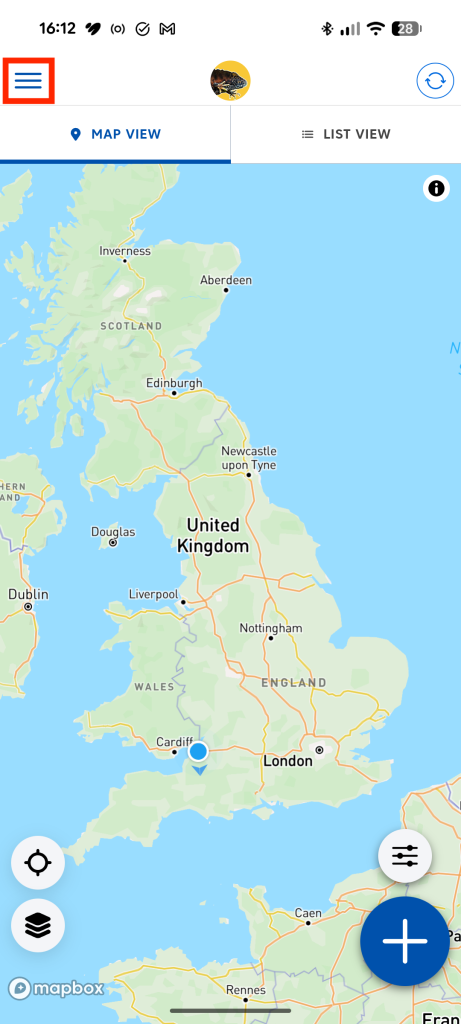
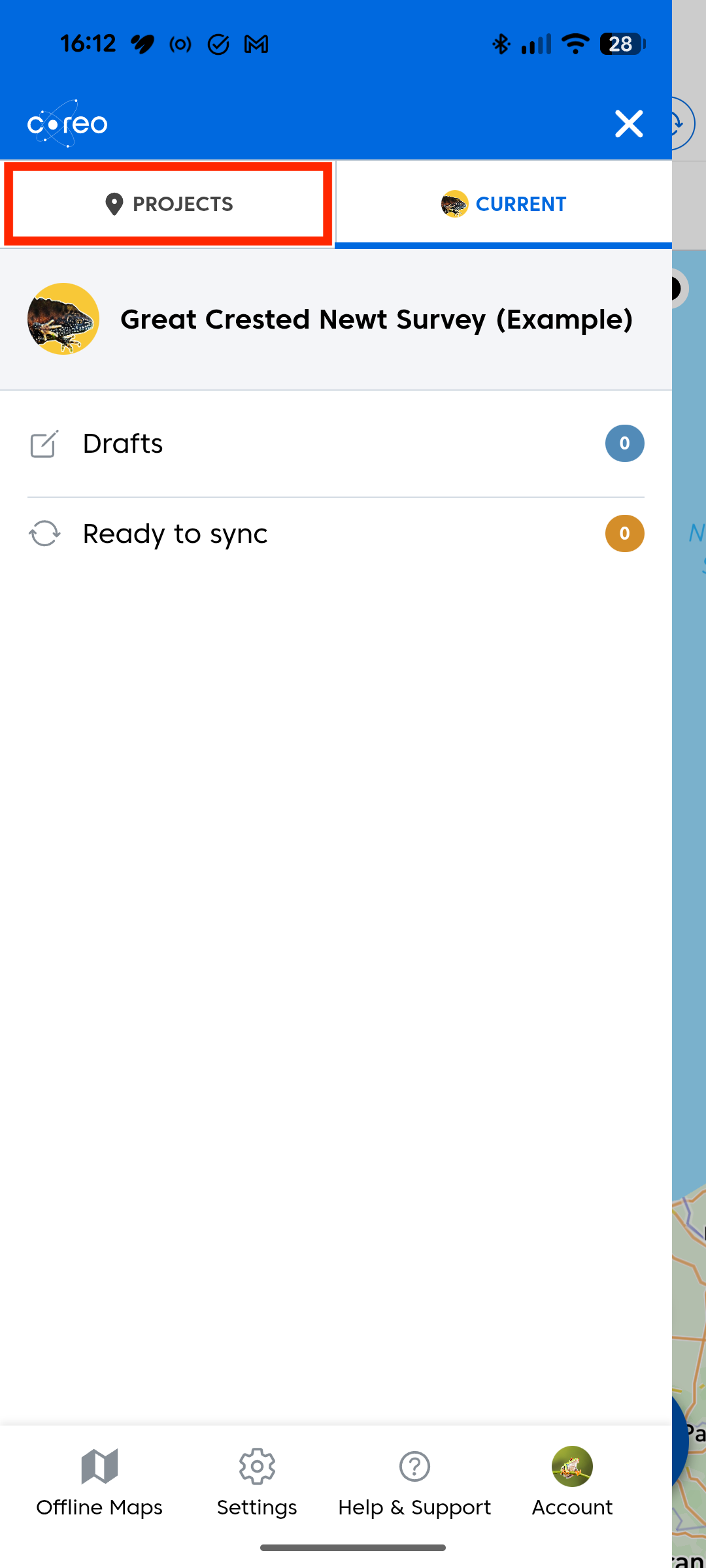
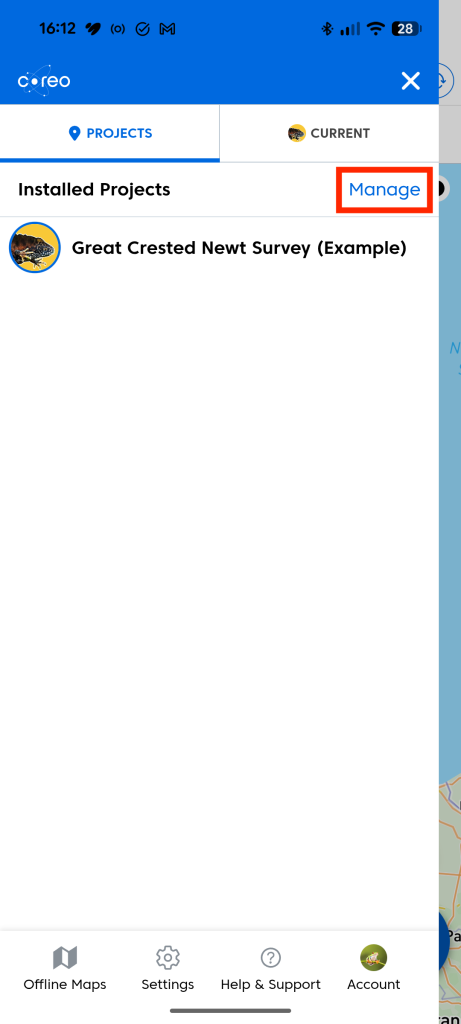
- Navigate to the Available projects tab. You can do this by tapping on the Menu icon, selecting Projects from the menu and then tapping on manage.
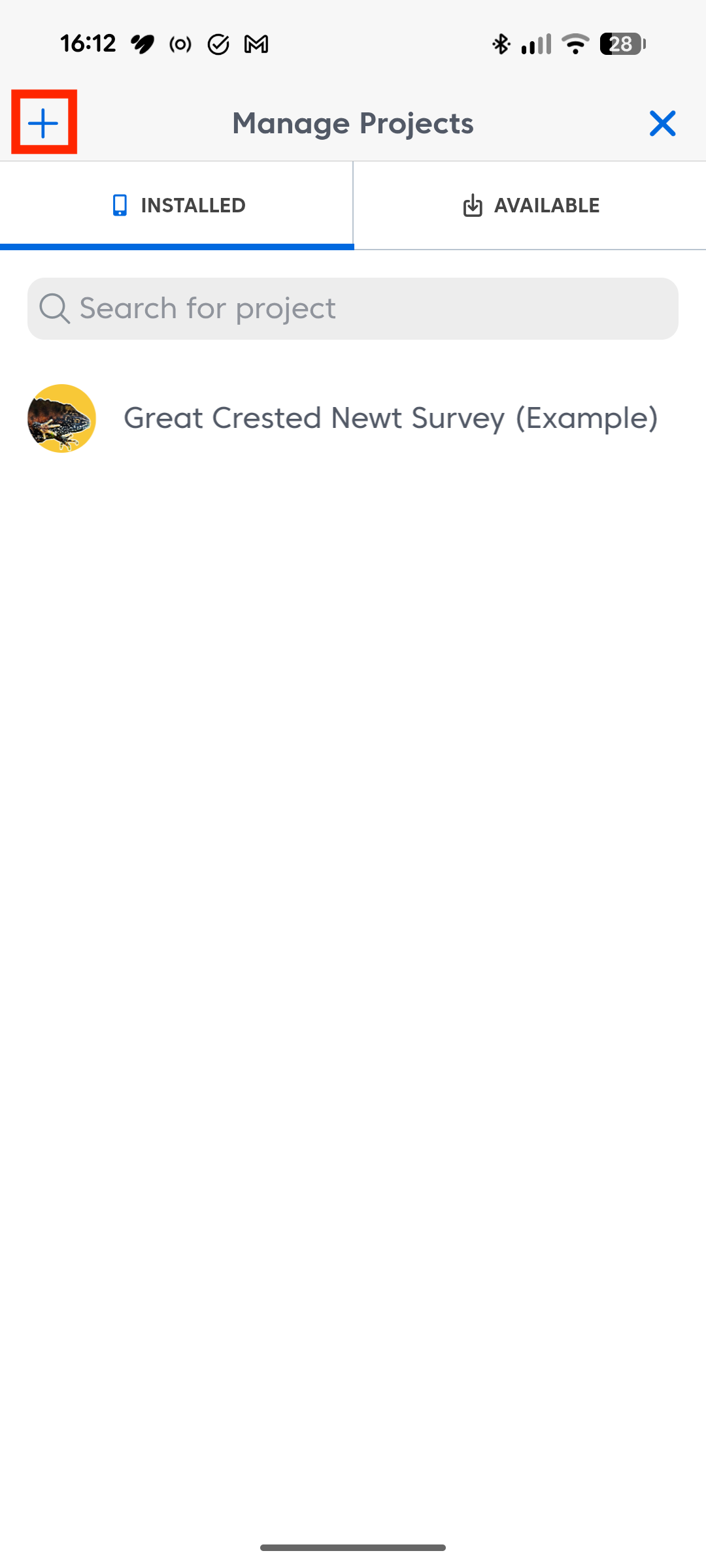
- Tap the plus(‘+’) icon in the upper righthand corner.
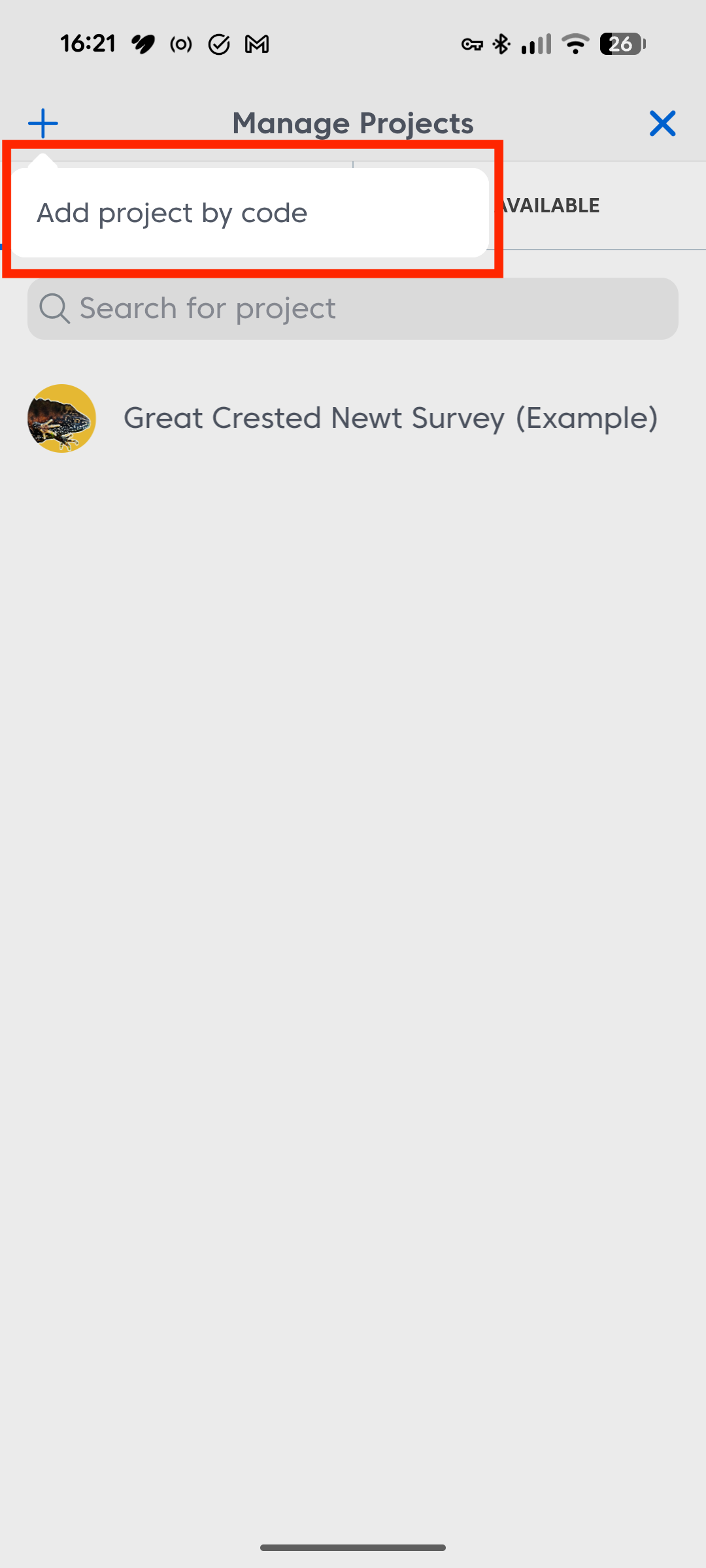
- Next, choose the Add project by code link
- Finally, enter your code to install and access the required project

Was this article helpful?
Thanks for your feedback!