Post-Intervention: Working with Watercourses
Watercourse assessments are done externally with a river condition assessment, and Coreo does not currently record watercourse condition assessments within the baseline workflow. As a result, baseline data for watercourses may be incomplete.
To enable accurate comparisons and unit calculations, watercourse baseline information must be entered within the post-intervention tool.
Entering Watercourse Baseline Information
To enter baseline data for watercourses:
- Create a new plan that includes your watercourses
- On the Baseline map layer, select each watercourse
- Enter the relevant data from your external watercourse assessment
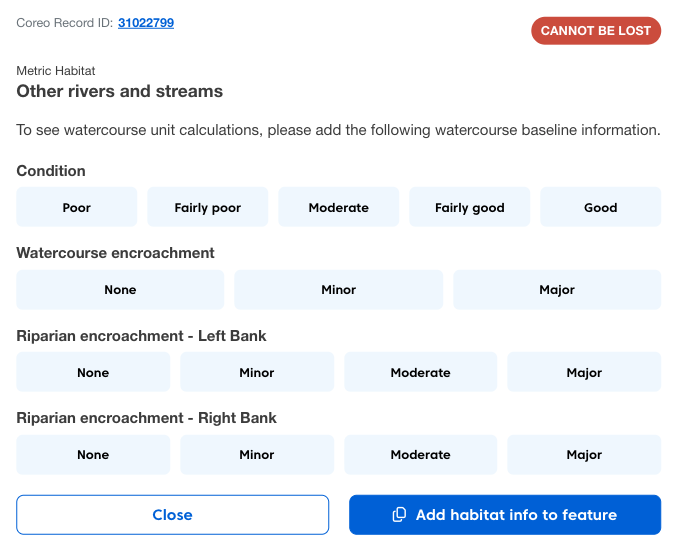
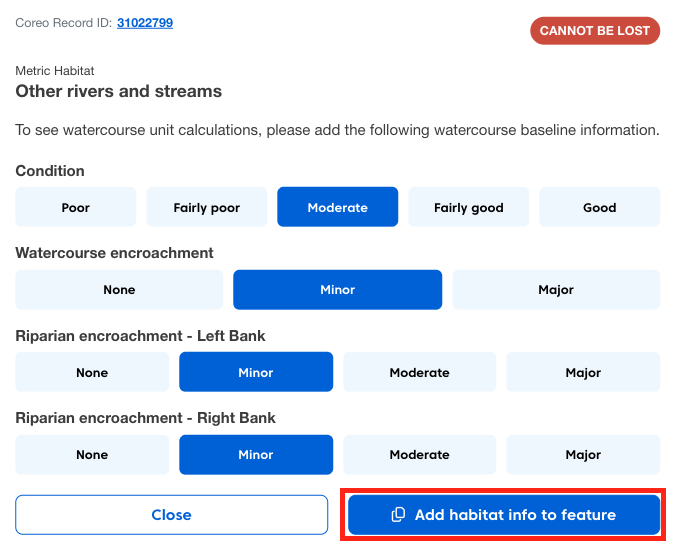
Once entered, this information will be stored with the feature.
Using Watercourses in Your Plan
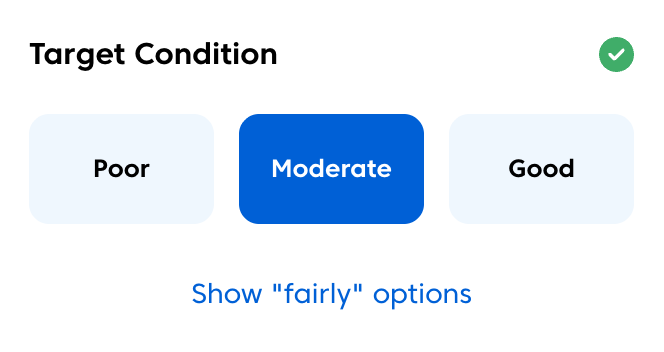
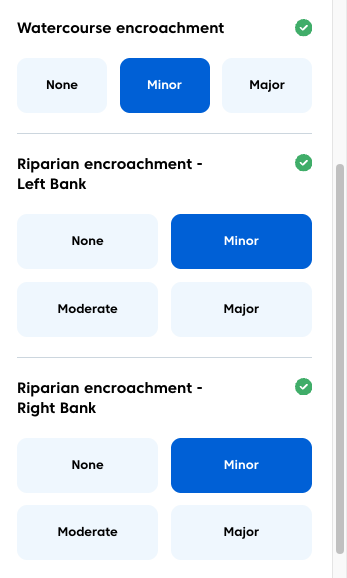
Once you have entered the baseline information when you copy a watercourse from the baseline into your plan:
- Condition data will be pre-populated.
- Encroachment information will be pre-populated.
This allows you to:
- Explore enhancements or changes.
- View unit impacts in real time.
Creating a Reusable Template Plan
Currently baseline information is stored per individual plan. If your site contains multiple watercourses, it is recommended to create a template plan.
To do this:
- Create a plan.
- Enter baseline information for all watercourses.
- Save the plan.
You can then duplicate this plan when creating new scenarios, ensuring all watercourse data is retained. This keeps your workflow consistent and avoids re-entering watercourse data for each new plan.