Downloading your Coreo invoices
If you use online billing, you can access and download your invoices any time.
- Firstly, only the Owner of the organisation can view and manage payment related elements of the account.
- Secondly, you will need to make sure that you are logged into the Coreo Admin Area – https://admin.coreo.io/.
- Click on your organisation name in the side panel and select Settings & Billing (as highlighted in the image below).

If you have an active online billing subscription you will then see the option to Manage Payment on the Settings & Billing page, as shown below.
- Select the Manage Payment button
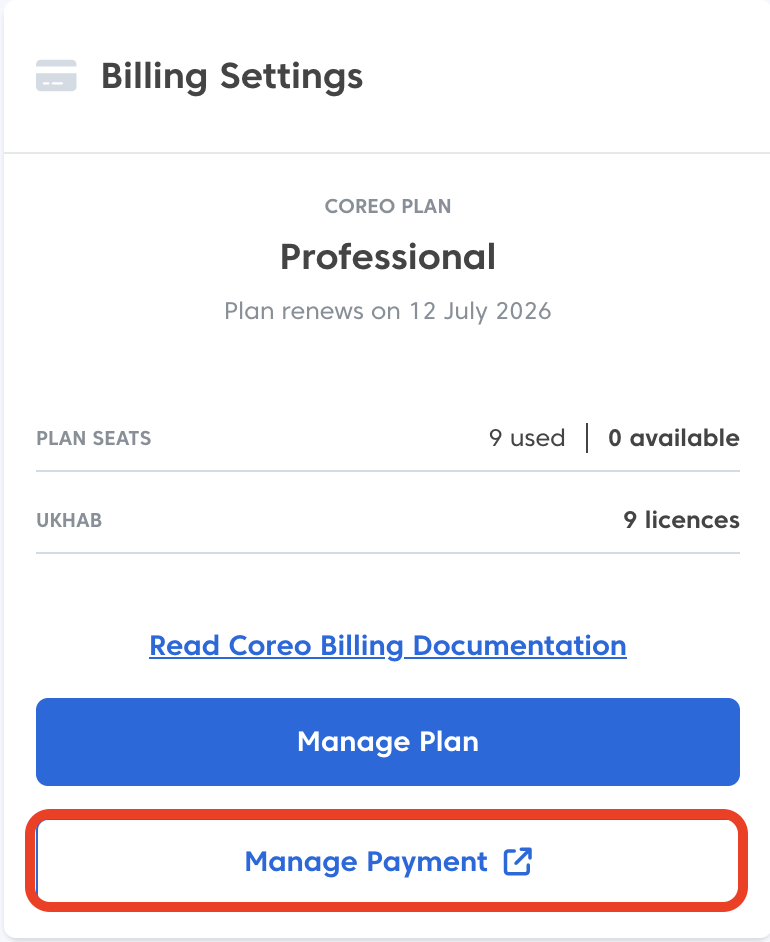
This will open Stripe’s Coreo billing portal in a separate tab.
- Towards the bottom of the page you will see your Invoice History, as show below
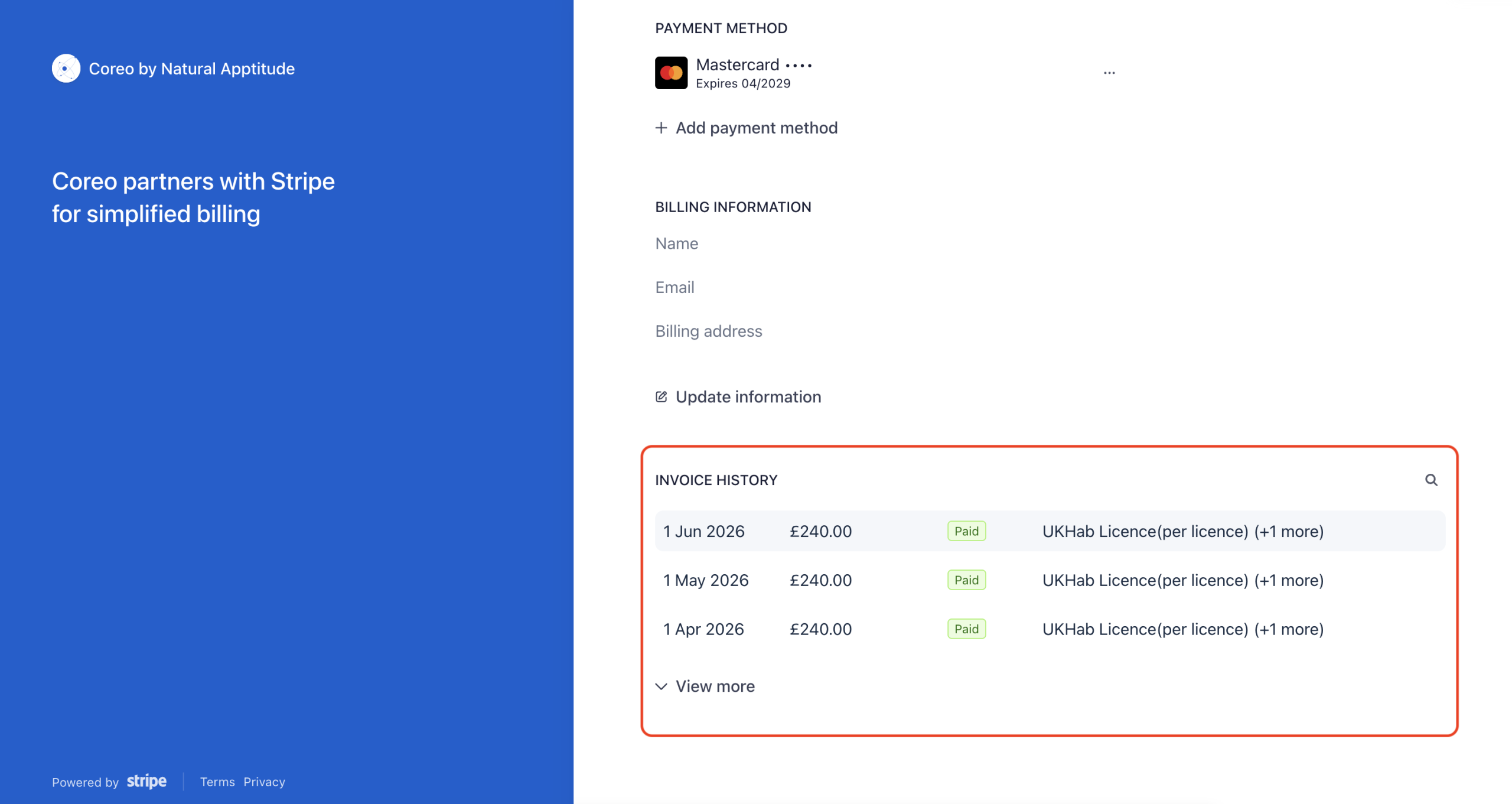
- Choose the invoice you wish to view
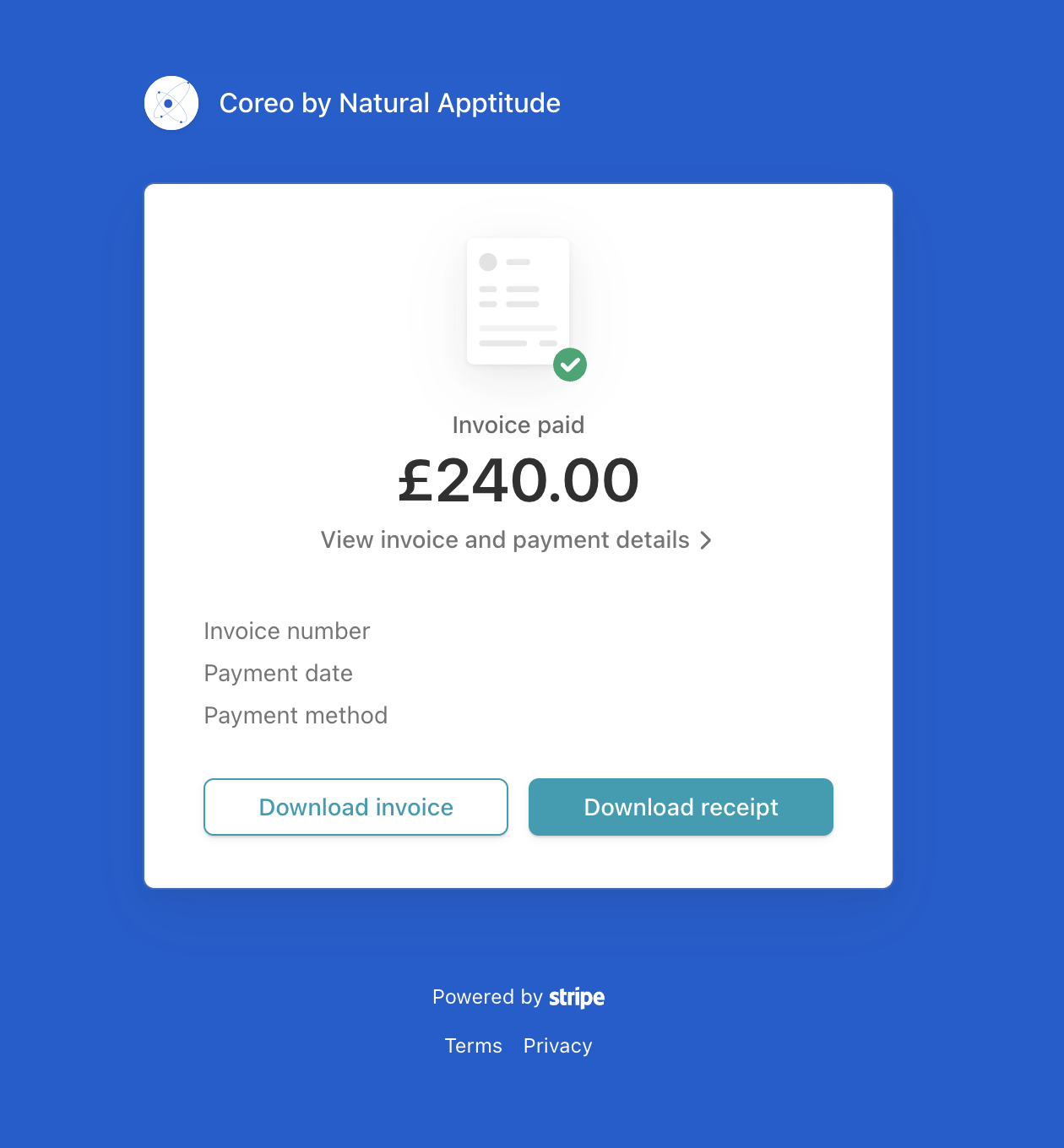
You will now be taken to a separate window where you can:
- View the invoice and payment details
- Download an invoice
- Download a receipt
Was this article helpful?
Thanks for your feedback!