Changing your payment method
If you want to change your payment method for your Coreo subscription, you can add a new one.
To do this you’ll need to be:
- The Coreo organisation “Owner”
- Signed into the Coreo Admin Area
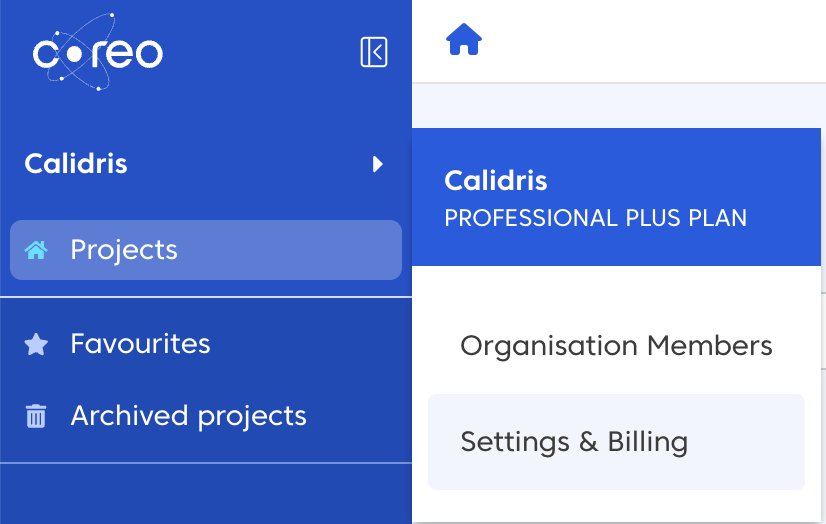
Select your organisation name in the side panel and then select Settings & Billing
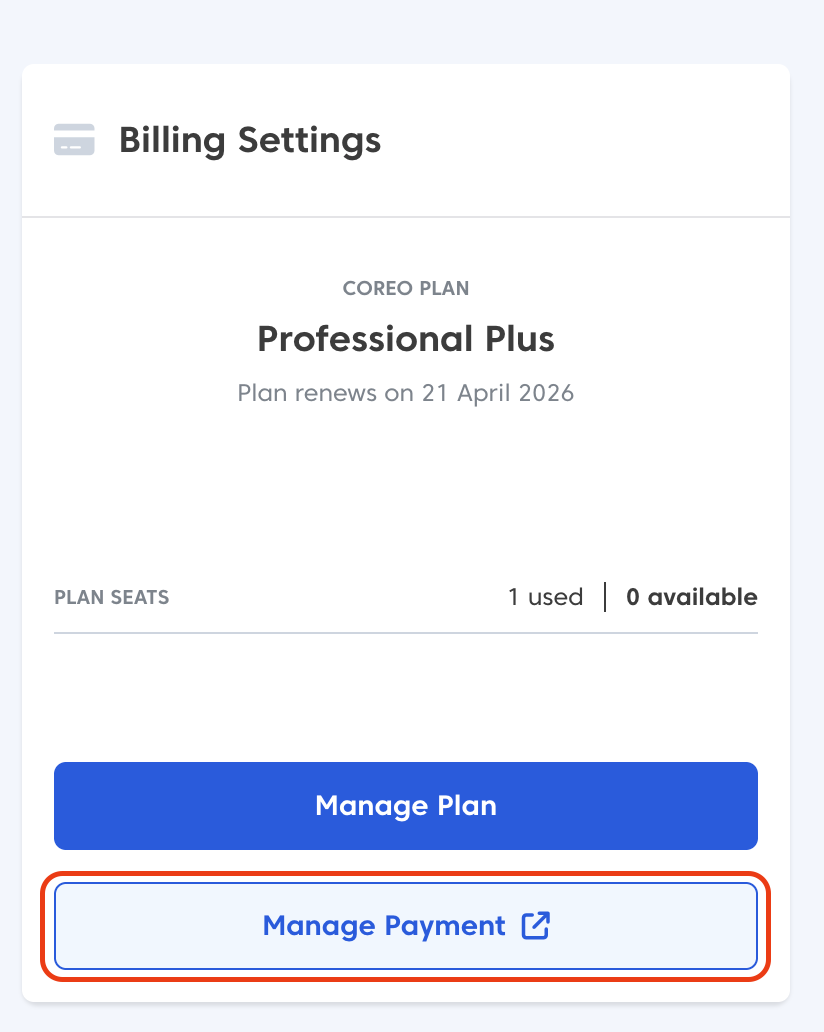
Next, select the Manage Payment button
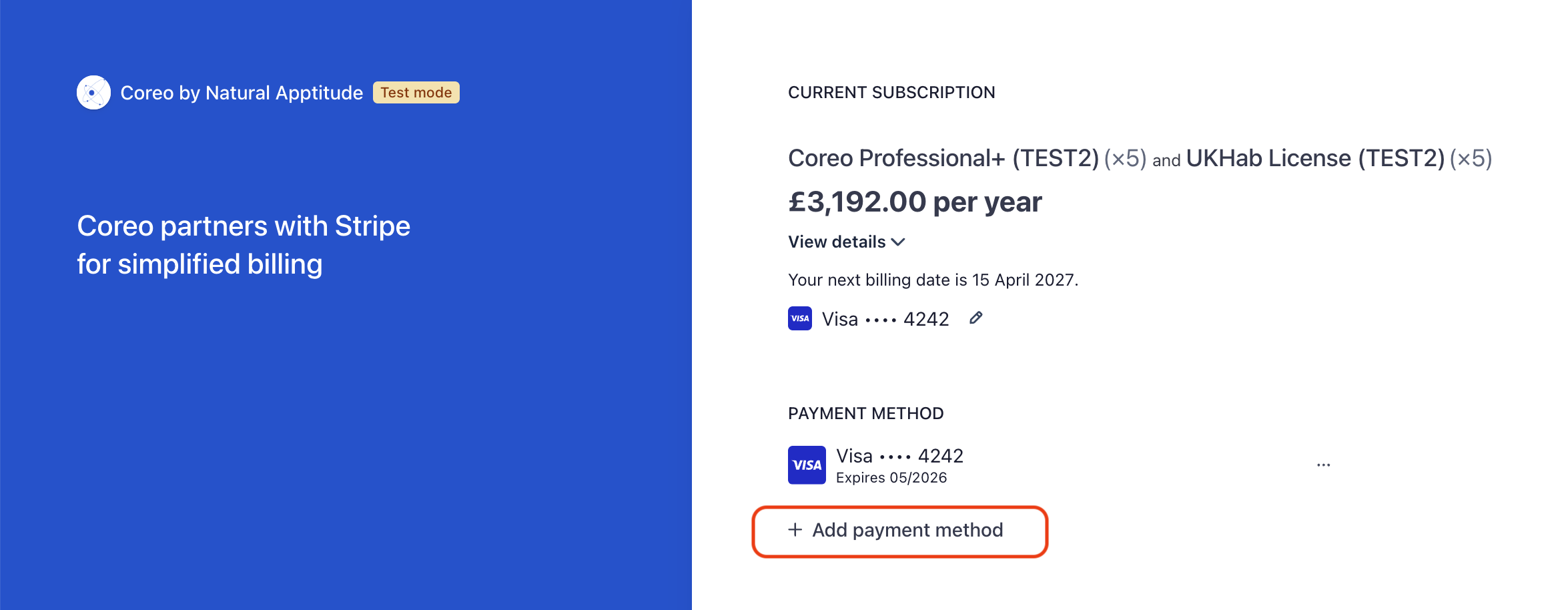
You will now be taken to the Stripe payment portal.
Head to the Payment Method section and choose the + Add payment method option, as highlighted below:
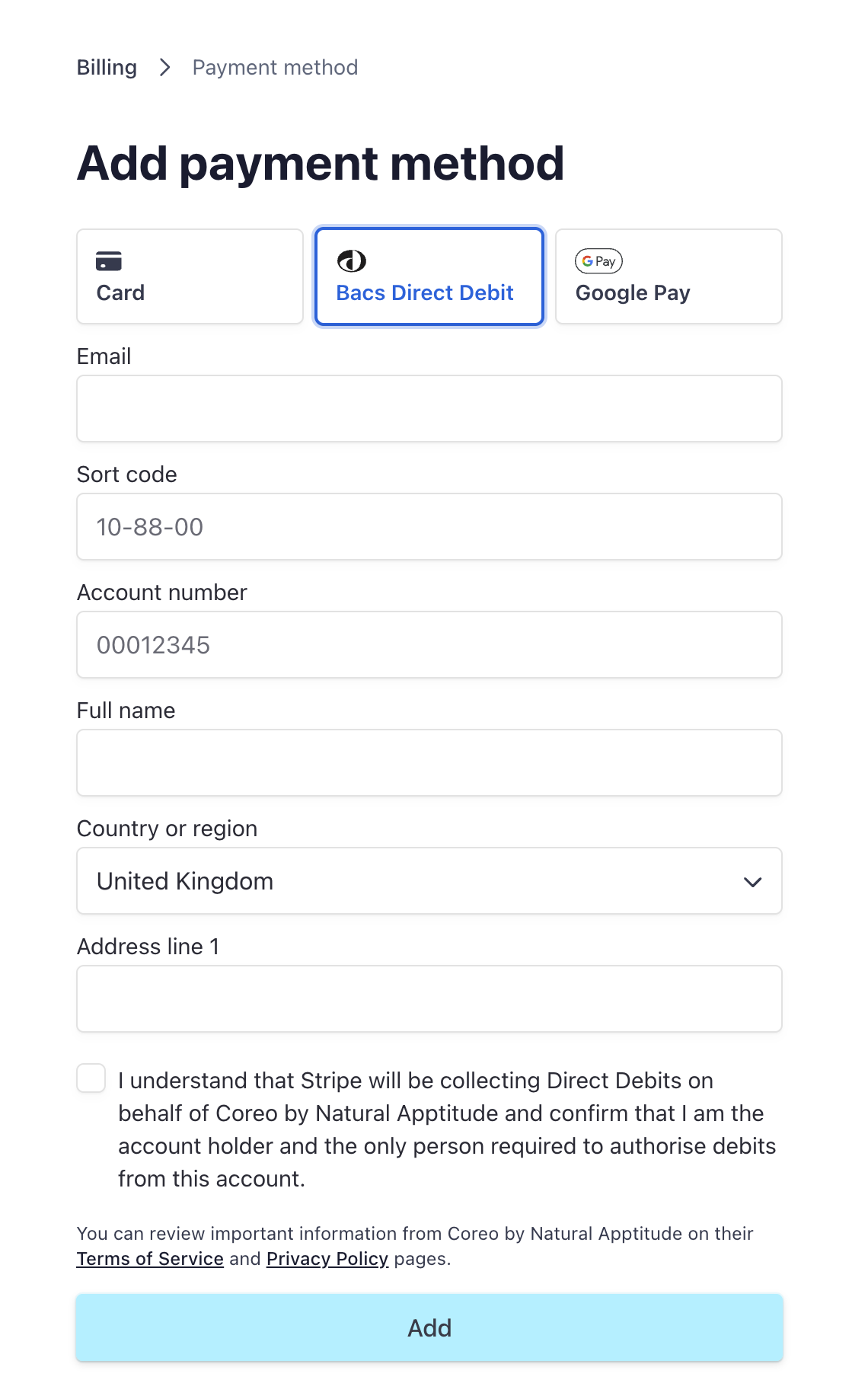
Next, choose which payment method to add and fill out the relevant details:
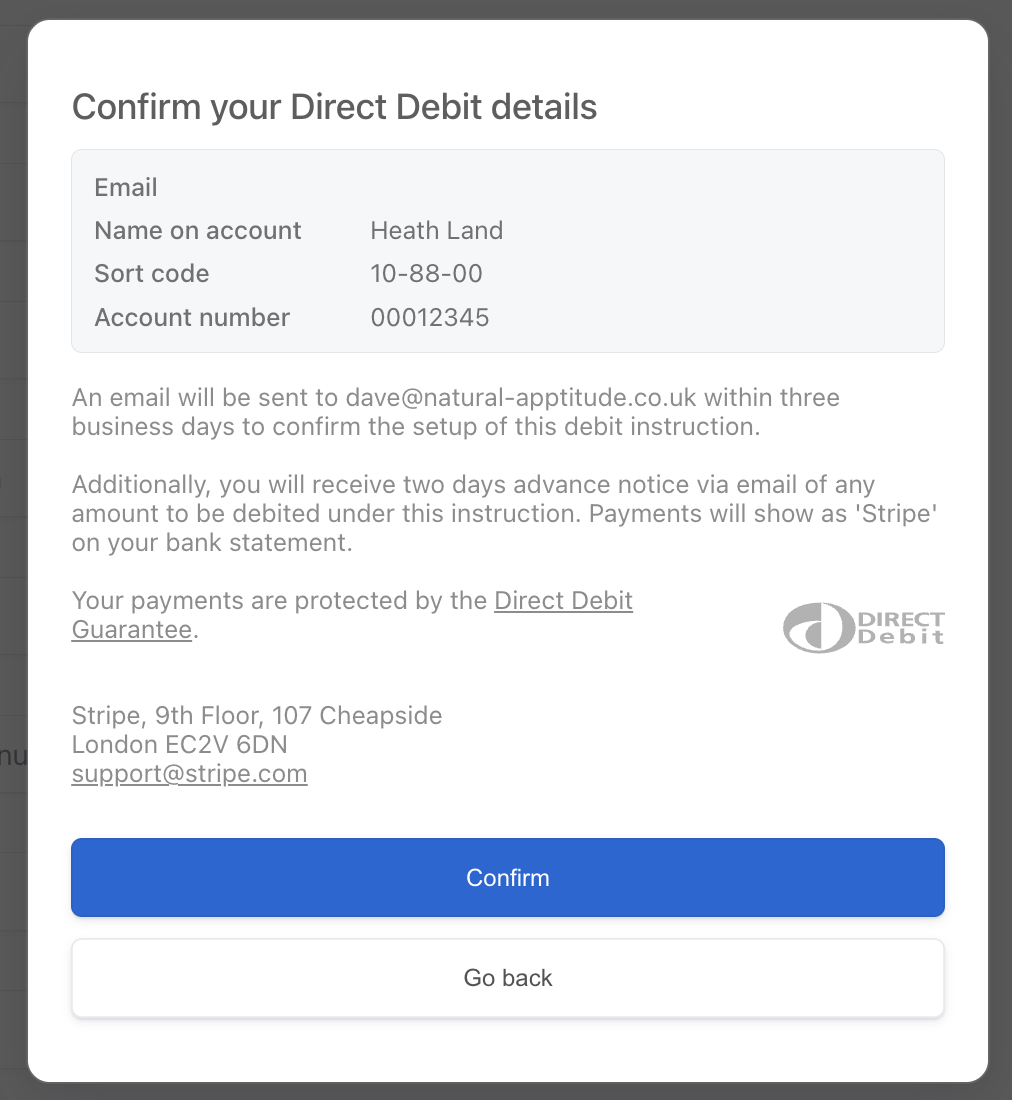
You might see further confirmation screens, based on the payment method chosen:
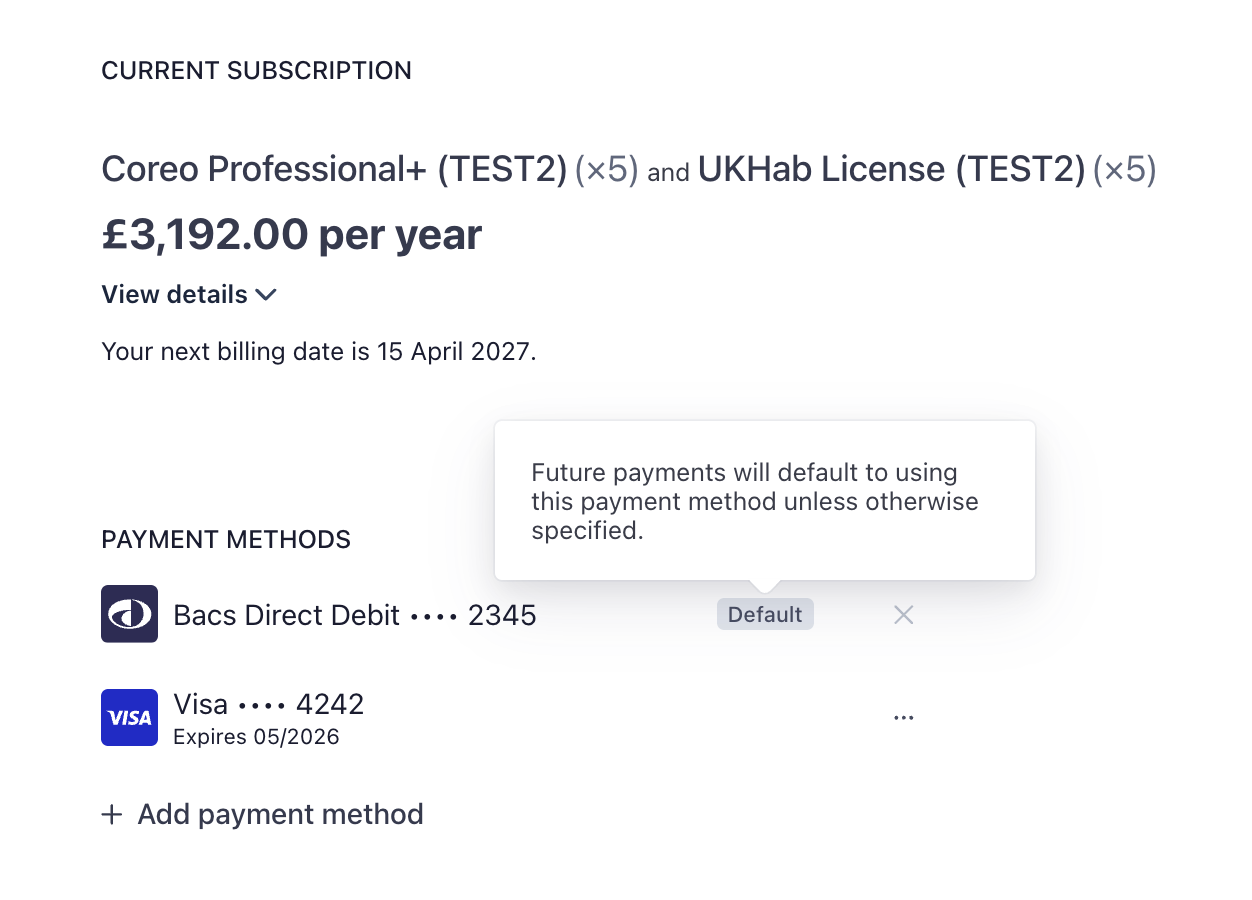
Your added payment method should now appear as the default in the payment portal:
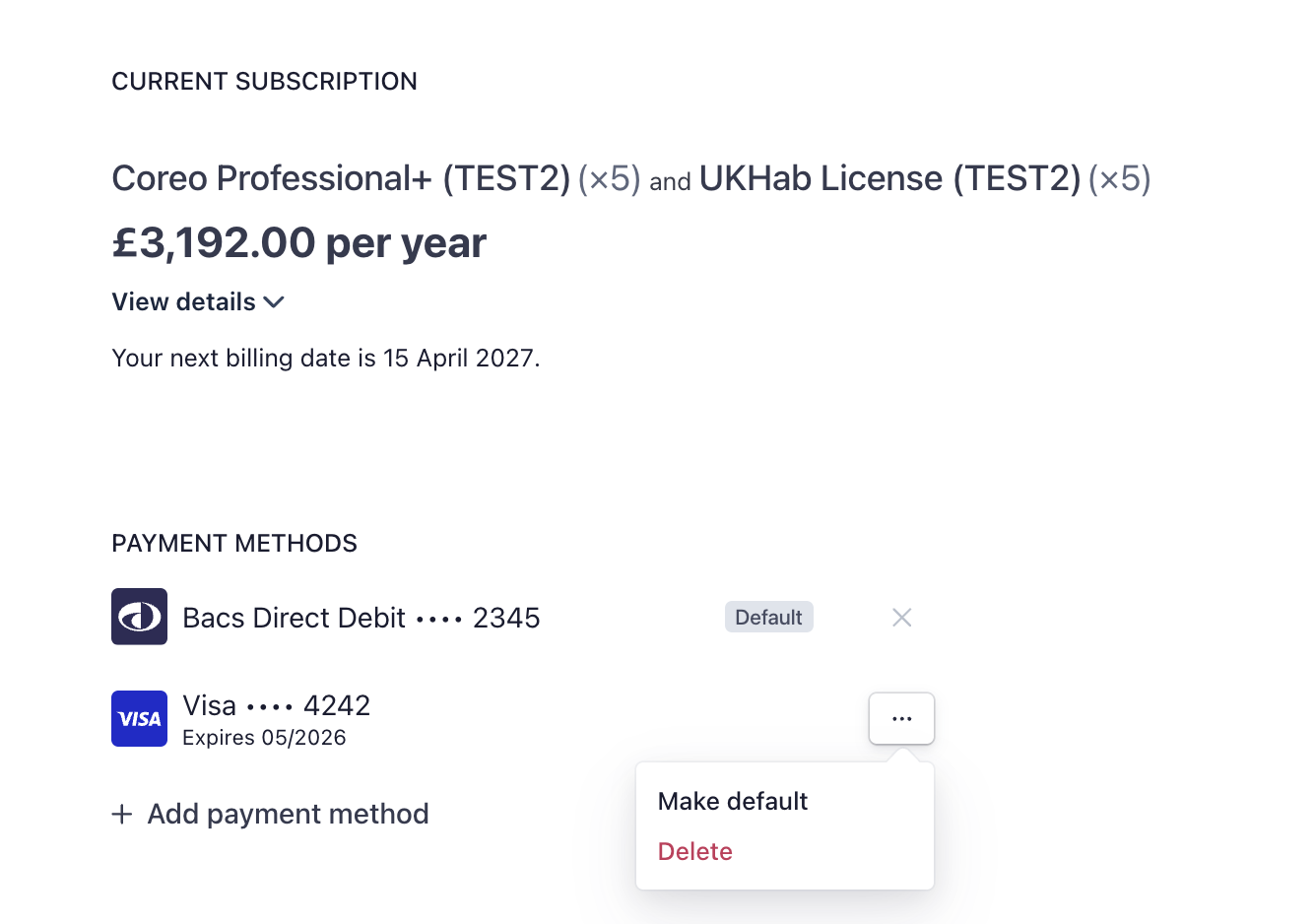
If you want to change the default payment method, or delete one, select the chevrons next to the appropriate entry:
Was this article helpful?
Thanks for your feedback!